
Like all artists in the modern era, I get regular accusations of being AI. And let’s be real, that’s a valid concern. There are so many scam “artists” passing off AI as their own work (and charging money for it) that showing process photos and videos is the only way to get out of the “guilty until proven innocent” AI art trap that artists are under forevermore.
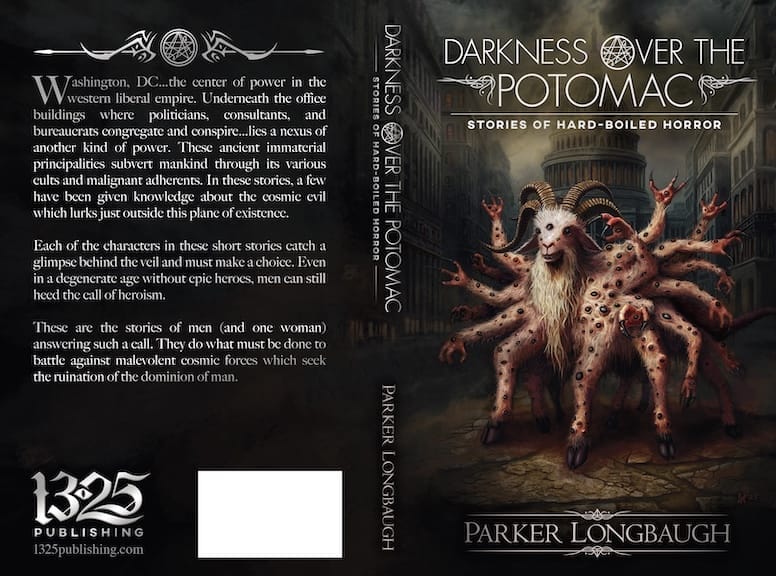
DARKNESS OVER THE POTOMAC by Parker Longbaugh created on behalf of 1325 Publishing features my artistic rendition of Shub Niggurath, the goat with one thousand young. You’ll likely be familiar with this lurking cosmic horror if you’re a fan of HP Lovecraft’s work, and Shub Niggurath features prominently in Longbaugh’s set of fantastic detective noir/cosmic horror short stories.
This piece has also gotten me at least two dozen accusations of using AI rather than creating my own art, so I’m creating a small explanation/tutorial to show you the techniques I used to create this piece. Here’s the whole piece:
First, this piece isn’t purely “digital painting”. While the piece is primarily digital painting, I also used photobashing & photo manipulation to get textures in the piece and speed up the process. Photobashing is a technique that integrates photos and/or 3D assets into a piece, which are then painted over to form the cohesive end product. I use photobashing as both a time saver as well as a way to get a specific look/feel.
You can watch this speed paint video to get the idea if you’re unfamiliar with the concept:
I’ve merged over 60 layers over the course of this book cover and the original photos have been merged with other layers and painted over. I’m too lazy to hunt down the original photos to show examples.
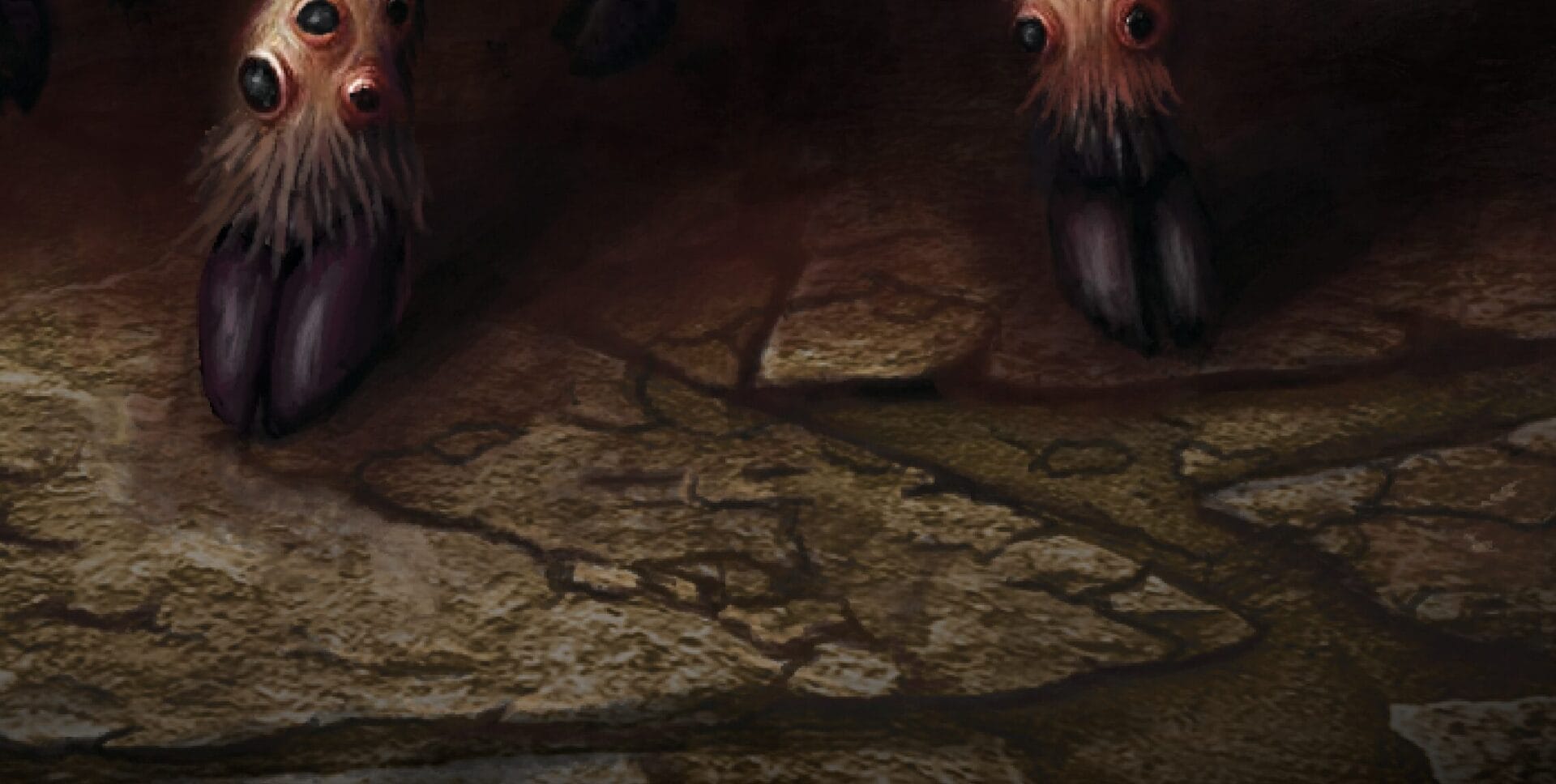
However, you can see in the screenshot below that this is a pic of actual stone with some perspective tweaks and painting to make it cohesive with the rest of the piece. This was a top-down photo of a stone pathway that I altered for proper perspective in Photoshop, then used adjustment layers to correct the colors. Using a photo with some light paint-over work adds a lot of texture to the piece that would be difficult and extremely time-consuming to paint completely from scratch.
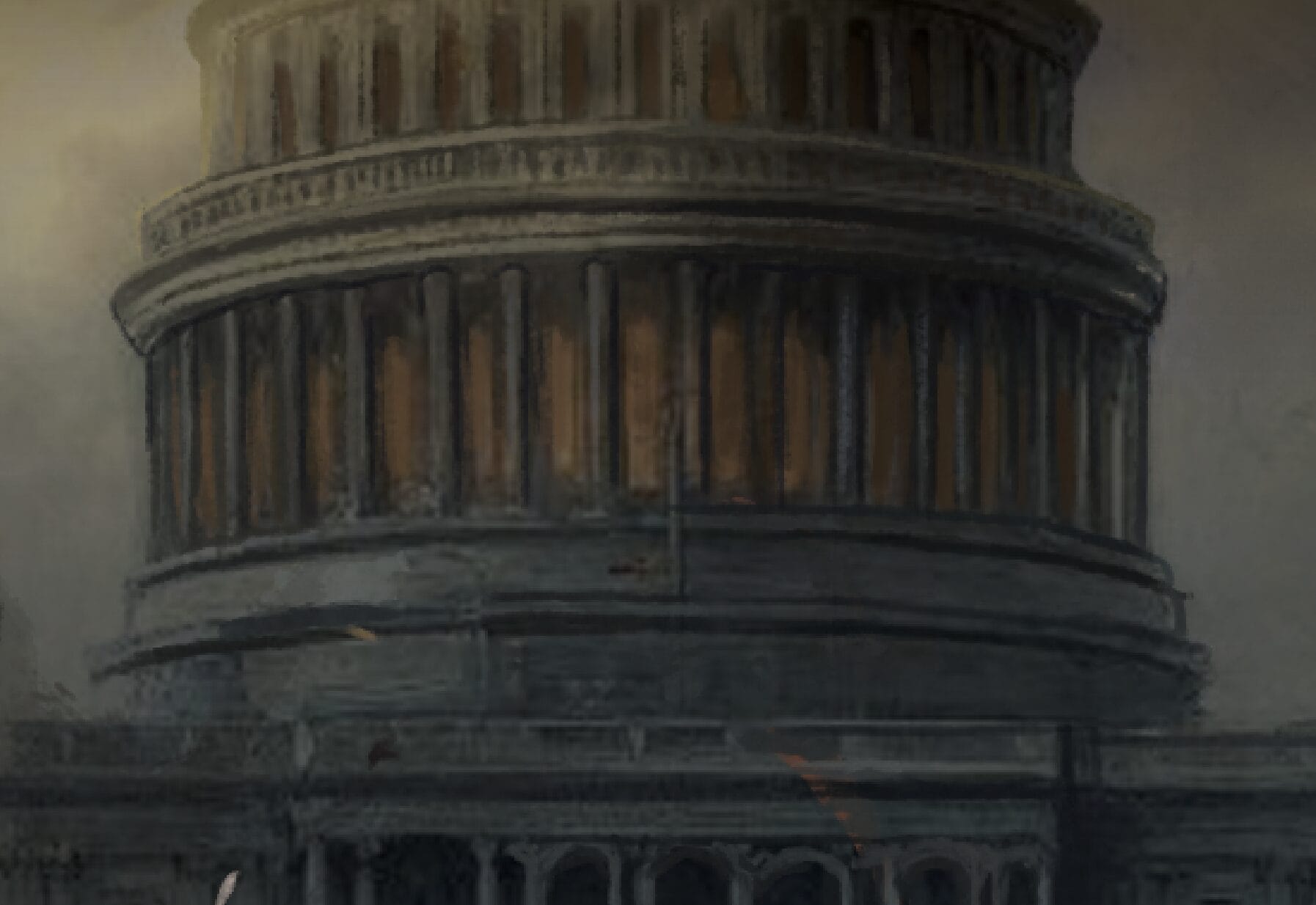
Likewise, this background began as a photo of a the Washington DC Capitol building, painted over for consistency and altered a bit. I could’ve painted all of this of these from scratch, but that would’ve added a good 10-15 hours to the project if not more. The clouds in the sky come from a composite of real photos and painting, and the buildings framing the monster are also a collage of random buildings that I painted over.
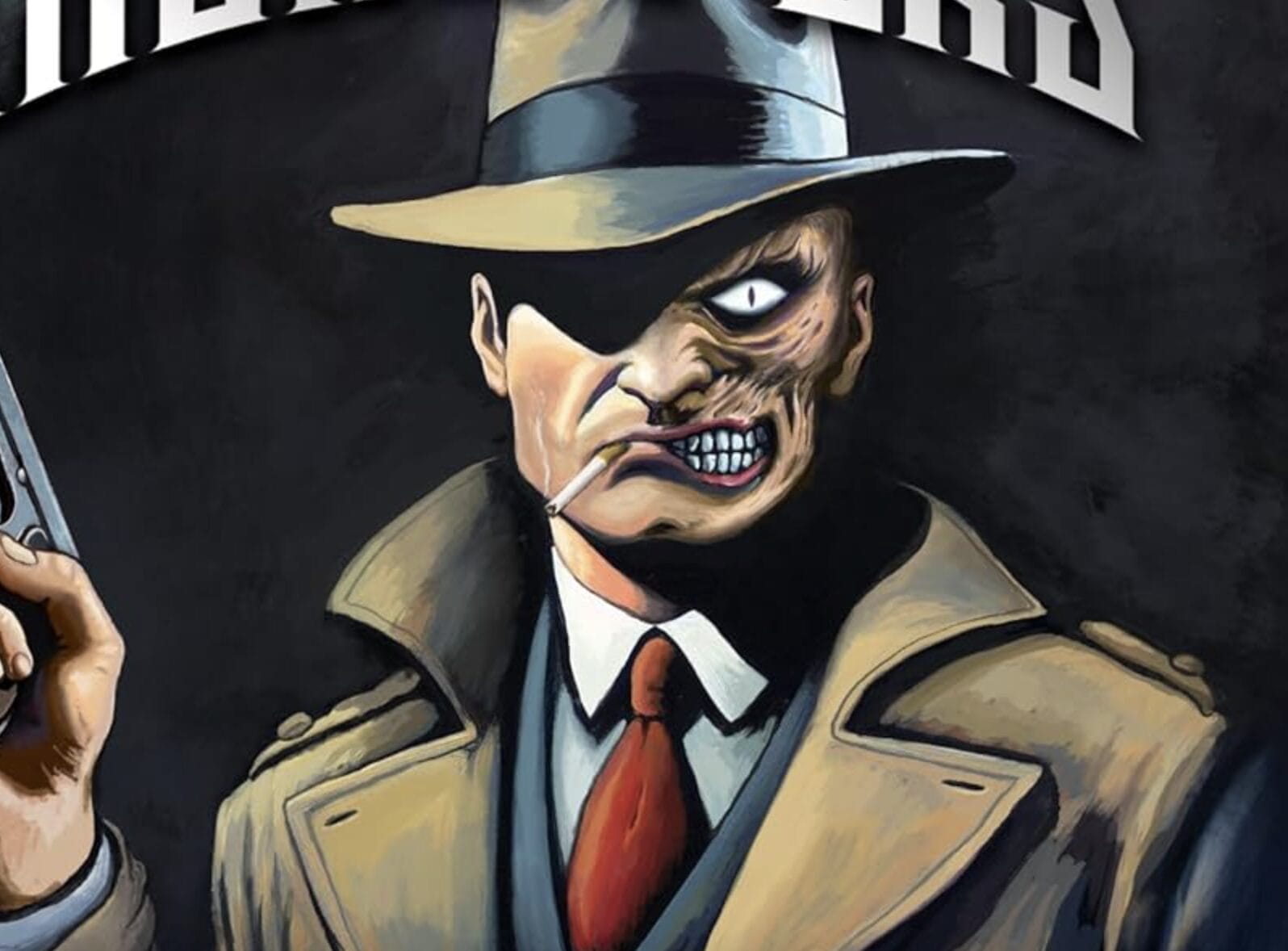
If you do want your entire piece to look like an oil or acrylic painting, you do need to paint everything. Photobashing will absolutely destroy an attempt to mimic these styles. You can see an example of acrylic painting below from another piece of mine, “Two-Faced Detective”. This piece is the cover of TJ Martinell’s fantastic detective noir book THE TIME OF MONSTERS, also made on behalf of 1325 Publishing.
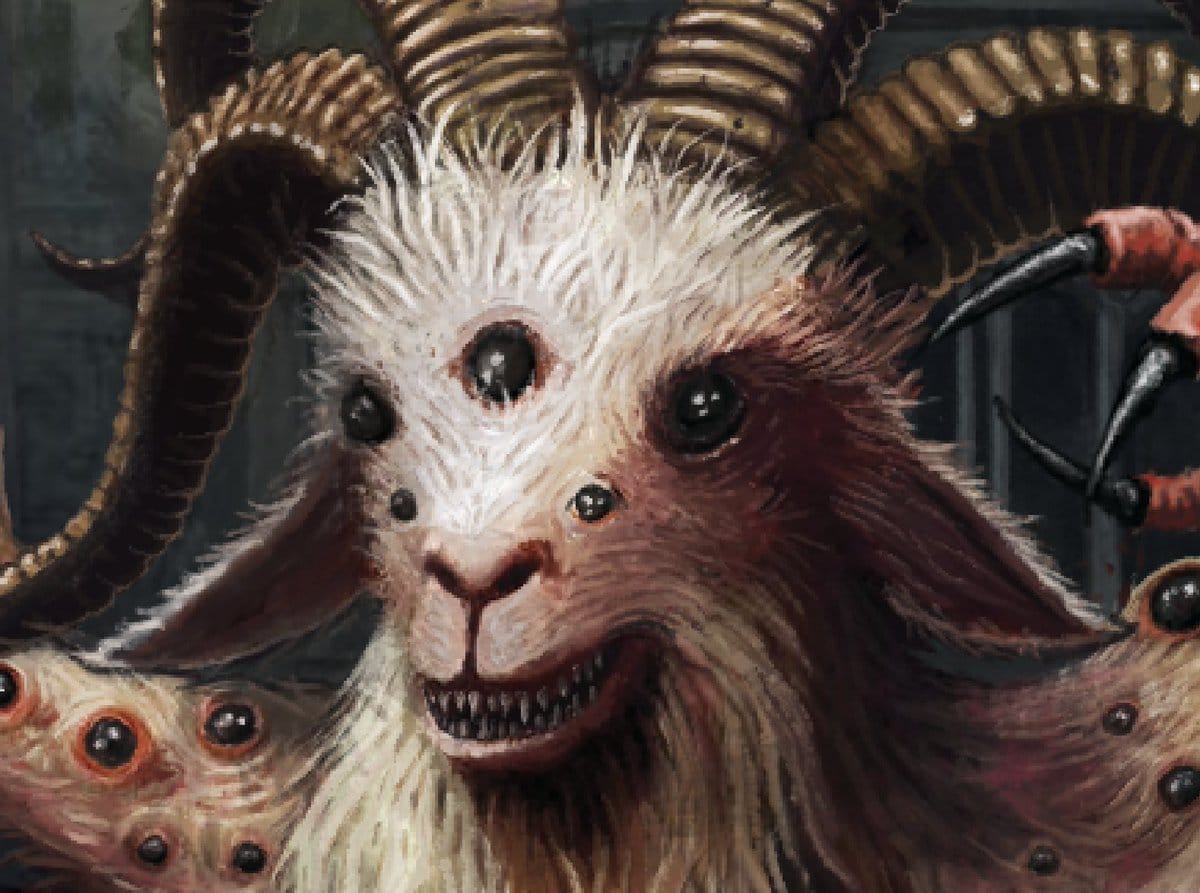
Returning to Shub Niggurath, I used a reference pic of an actual goat’s head that I some YouTube video about goats. This is a great way to find poses – just zoom in and take a screenshot of a paused video.
I painted completely over the screenshot as the project progressed, “monsterizing” it as I went. I painted the horns from scratch, based on the look of actual goat horns. I altered the ear position and completely redid the lighting angles for consistency. Here’s the end result:
When it comes to brushes, there are thousands of options. I have a mountain of various brush packs, but my favorite are the Kyle’s Megapack brush set by Kyle Webster. Kyle is a phenomenal artist and I recommend checking out his work. You can get this set for free along with Adobe’s laughably overpriced CC subscription.
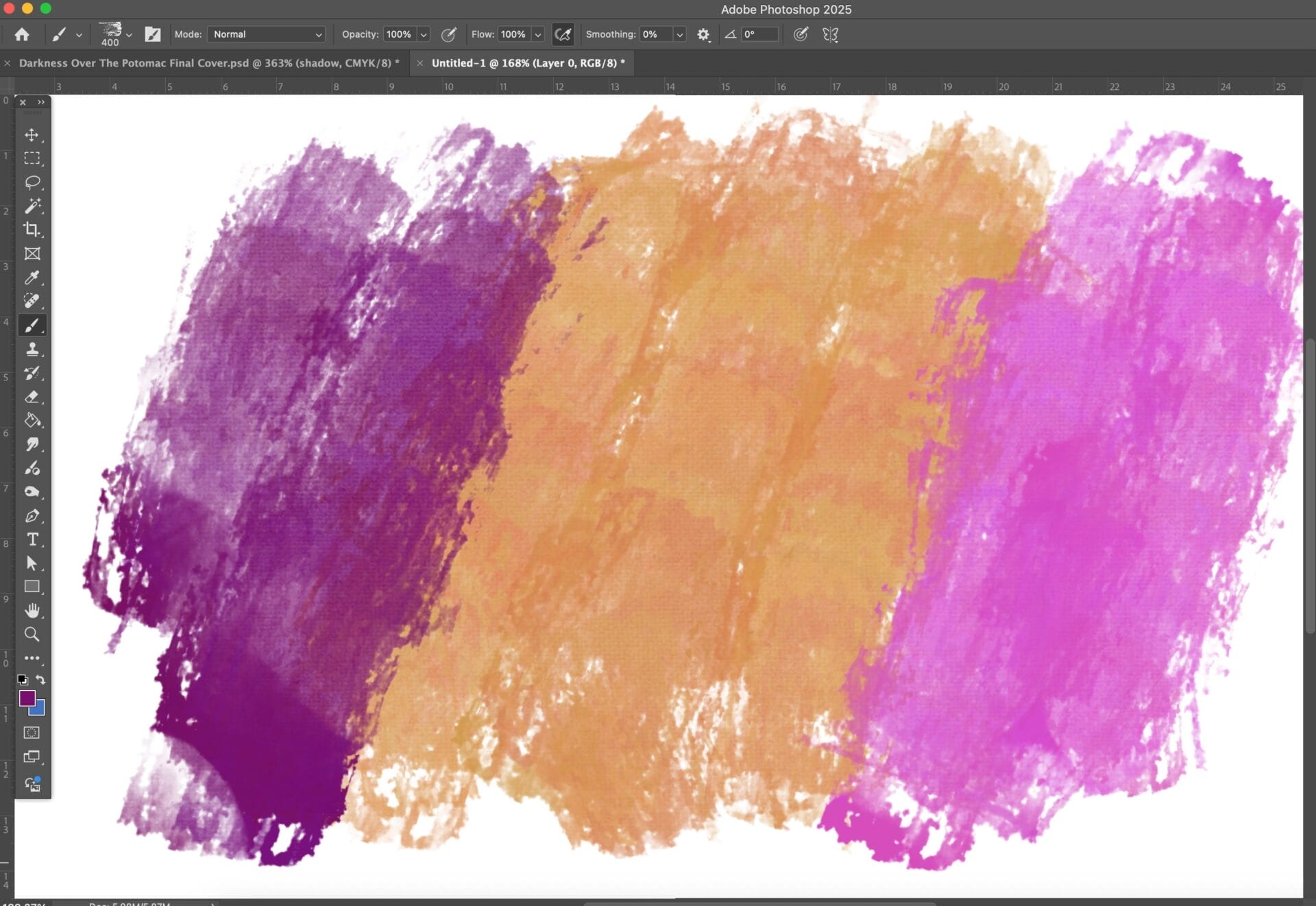
I use several brushes from this set for this project, but the two primary brushes I use are “Impressionist Canvas” and “Oils Turp”. Impressionist Canvas gives a nice subtle canvas texture as well as a “blobby” look. Very nice for backgrounds & a starting point for body parts. Here’s an example screenshot of a few strokes using the Impressionist Canvas brush:
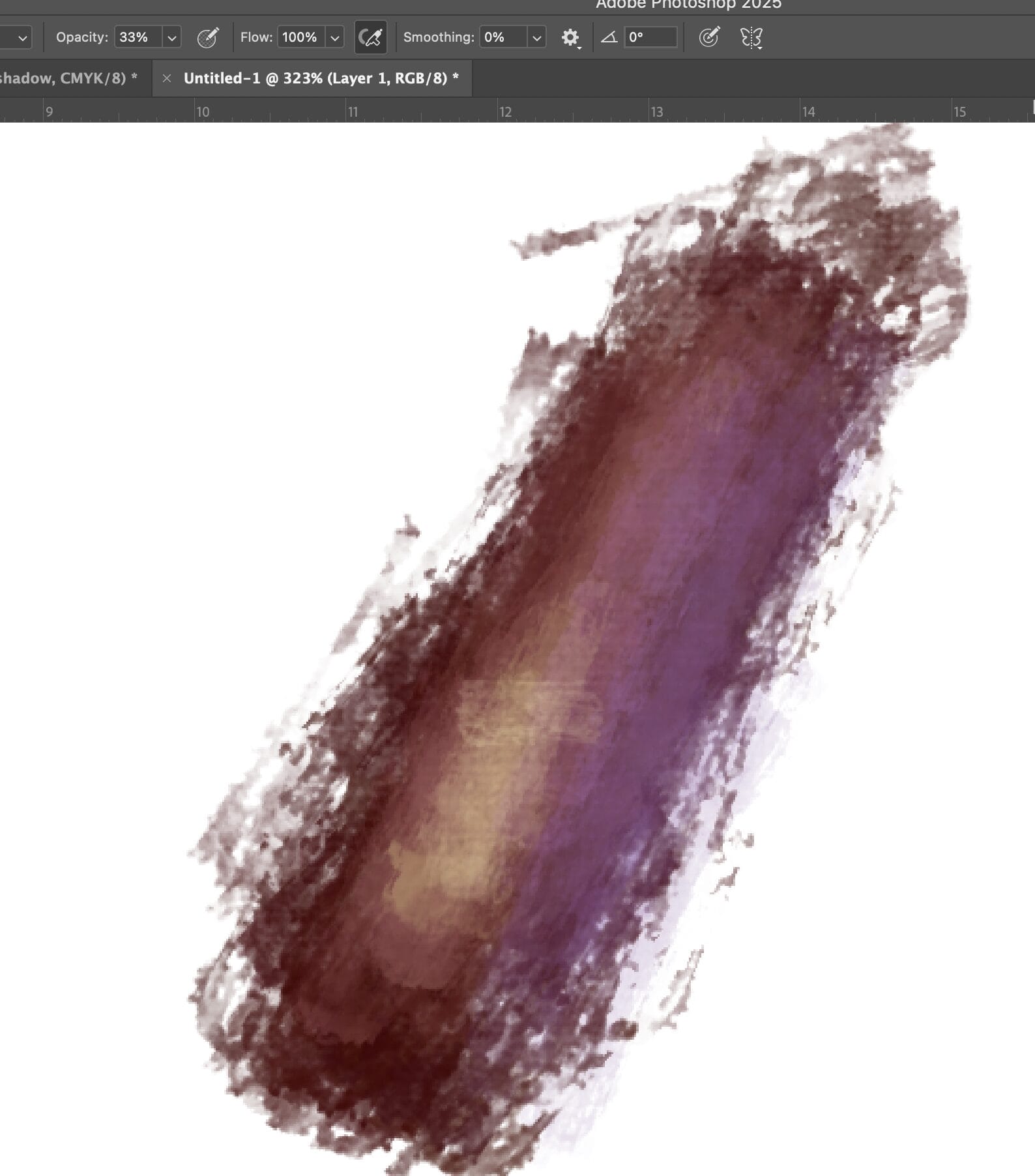
I roughed out a quick “arm” in the screenshot below using the Impressionist Canvas brush, turning down the opacity of the brush to blend colors a bit more smoothly. Playing with the opacity and flow settings yield different effects with different brushes. Make sure to experiment a lot with each brush.
I like to use the Oils Turp brush for detail work. Oils Turp is a very “rough” looking brush, and turning down the flow setting will give a lot of texture. Adding lots of small lines using this brush gives the impression of hair. I use the eyedropper tool (the “I” key as a keyboard shortcut in Photoshop) constantly to pick various colors. I added the dozens of spider eyes covering Shub Niggurath’s body almost exclusively using the Oils Turp brush.
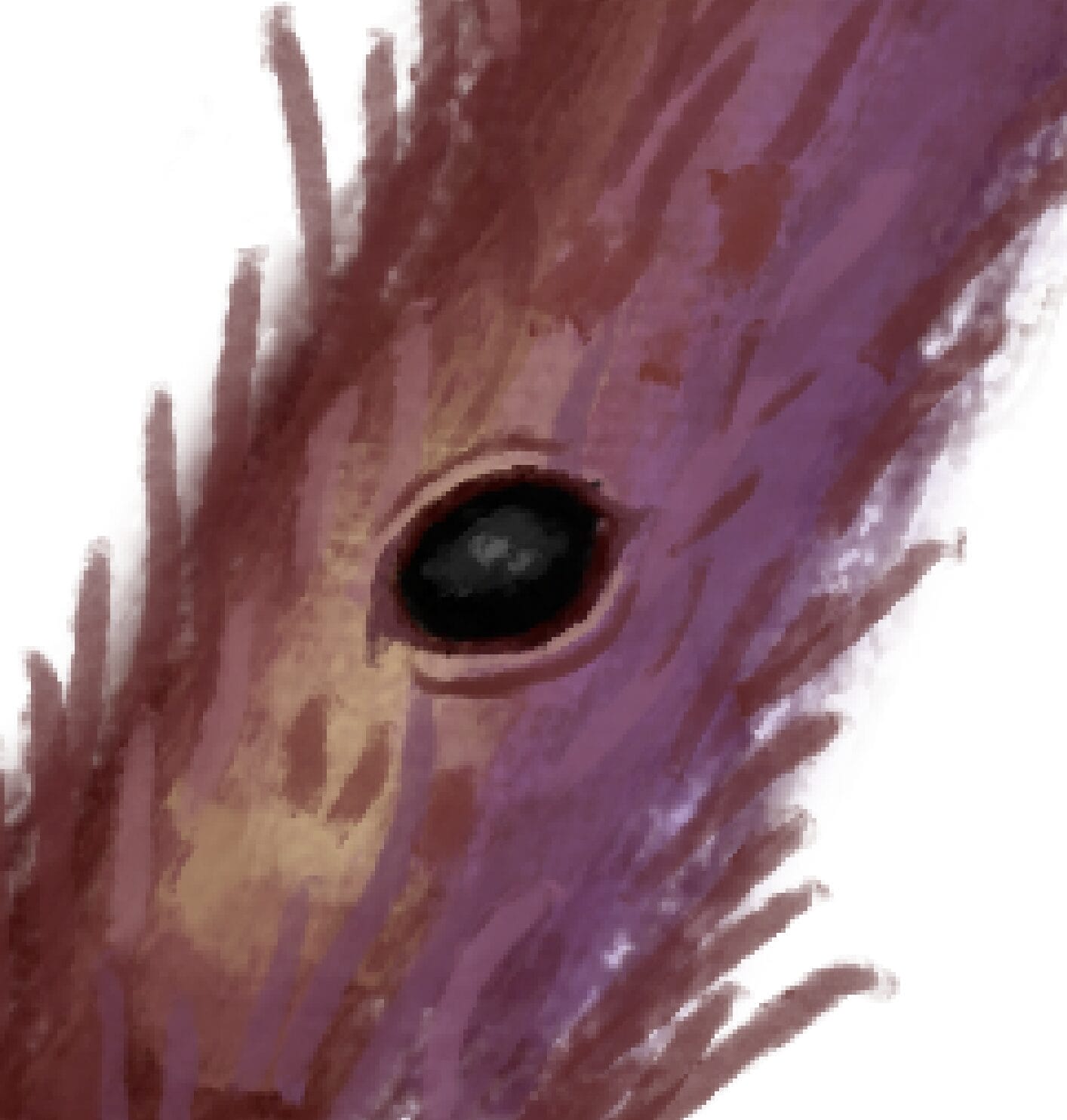
Turning down the flow gives a much rougher and textured look using the Oils Turp brush. This arm screenshot shows several layers of highlights, shadows, under- and over-painting. There are tons of brush strokes here, though it’s probably overkill & I should learn to simplify.
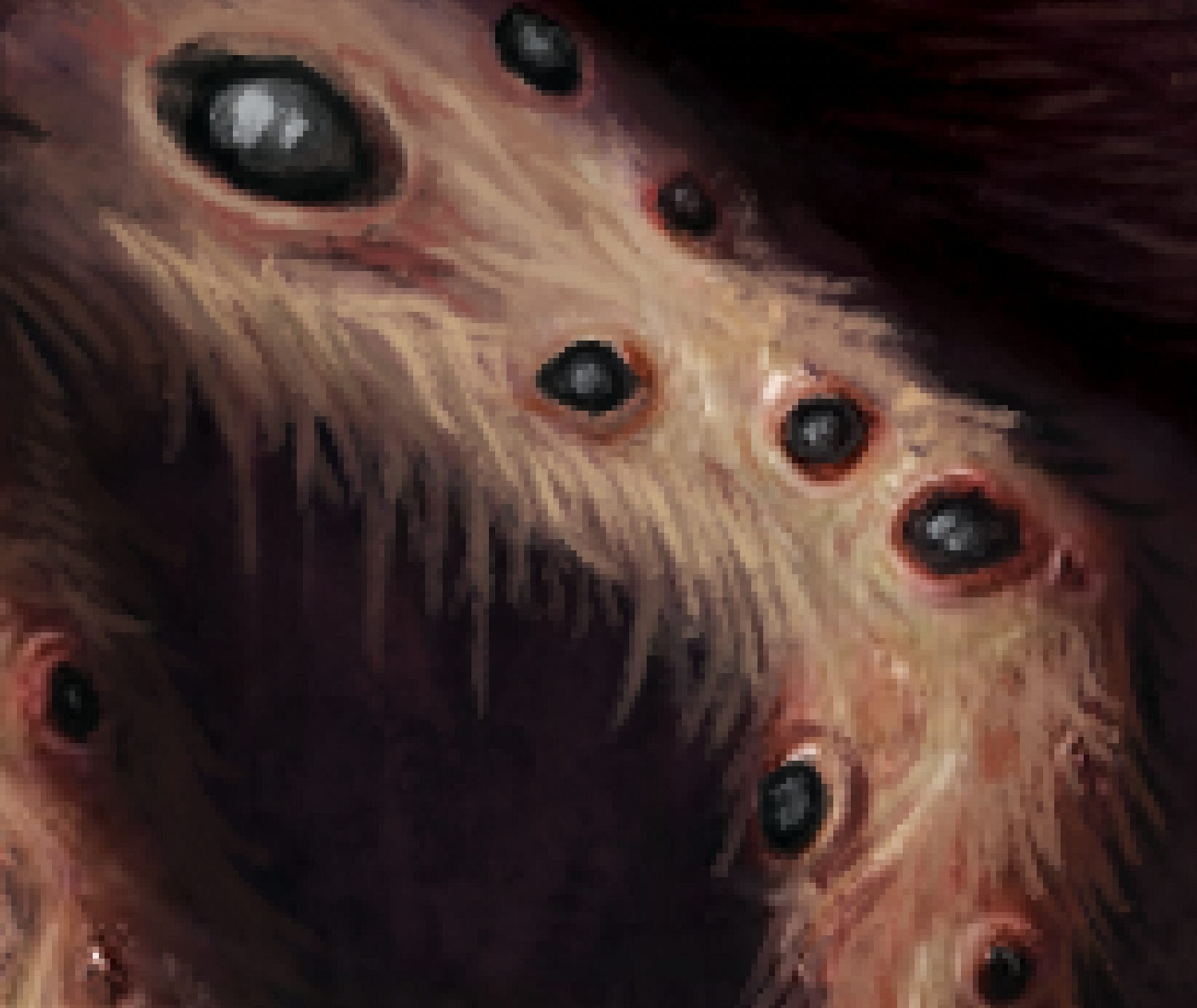
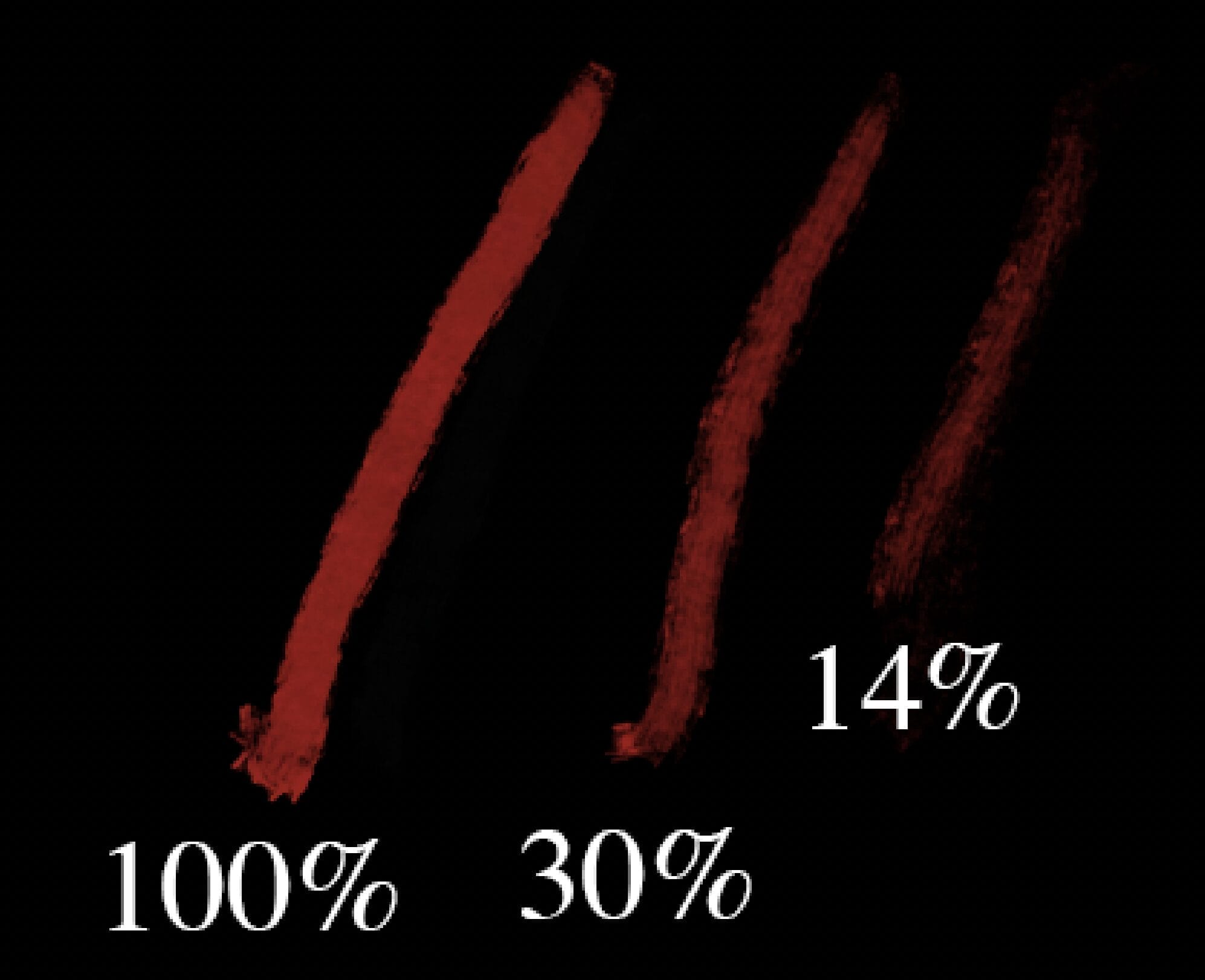
Here’s a quick example of how flow settings will affect this brush. You can lower the flow and add some really cool texture effects. Make sure to mess around with this setting on every brush you use to see how flow settings change the outcome of brush strokes.
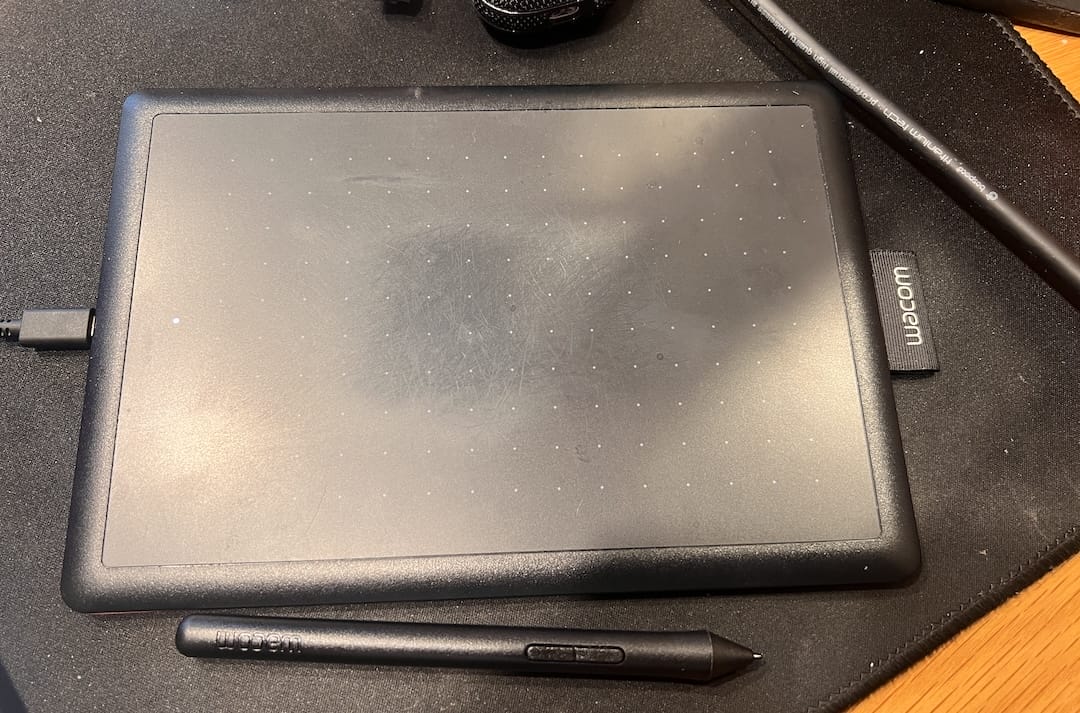
A quick but important side note: A pen tablet is an absolute must for painting. You can’t use mouse as you need the pressure sensitivity for opacity, varying line width etc. I broke my $300 Wacom Intuous a while ago & replaced w/a cheap Wacom One tablet. It’s quite small but fits well in a backpack for travel and works just fine. Used tablets are readily available on Craigslist in the USA, or you can buy a new one from Amazon here:
https://amzn.to/4nkDSP1
I like to throw in a few “mistakes” or unrefined areas sometimes in order to make a digital painting feel a bit more real. I got this idea from Slayer’s REIGN IN BLOOD album cover, where the artist painted over what’s obviously a different horn position on the goat lord:

Here’s one of the “unrefined” areas on my painting:
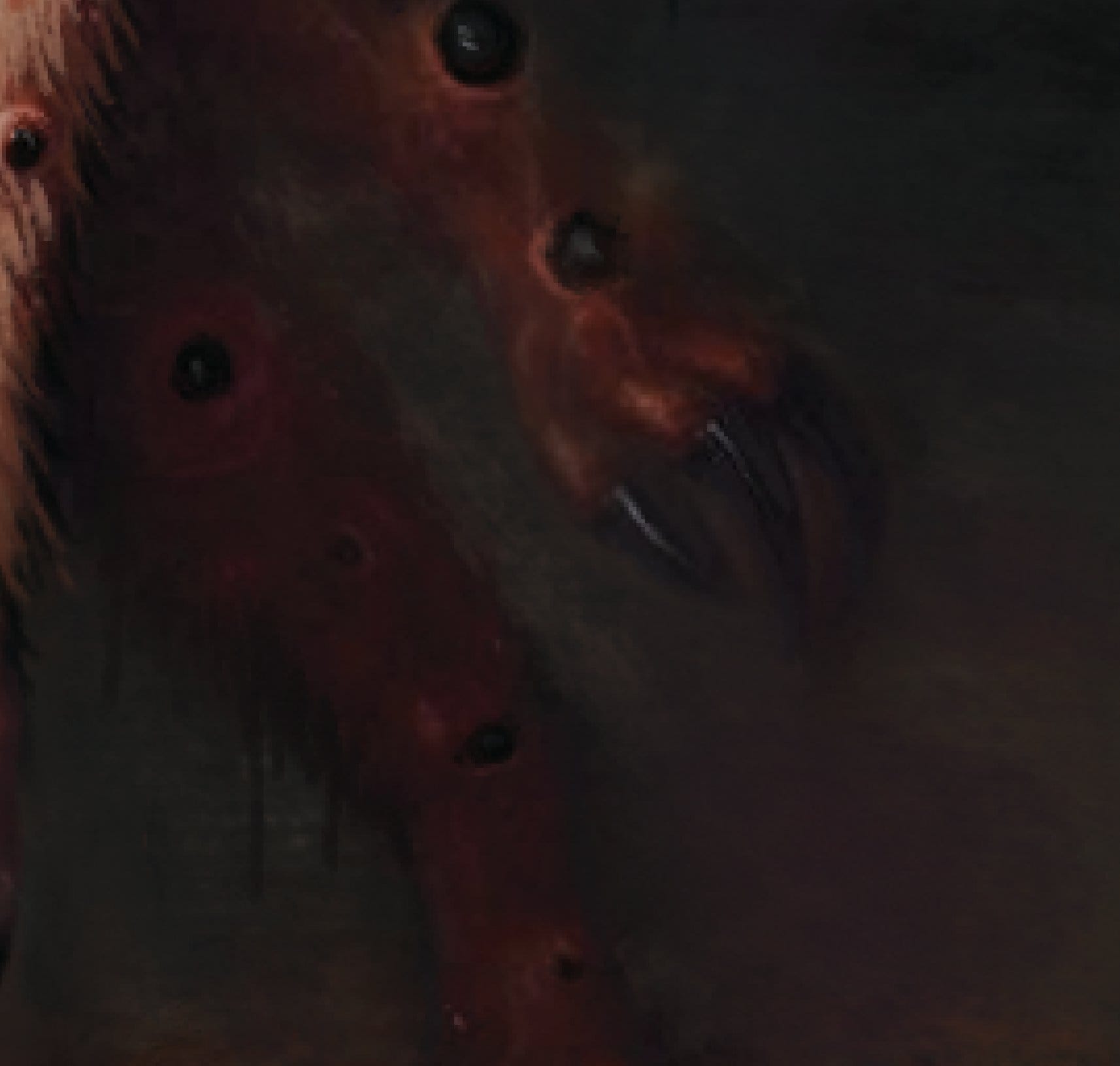
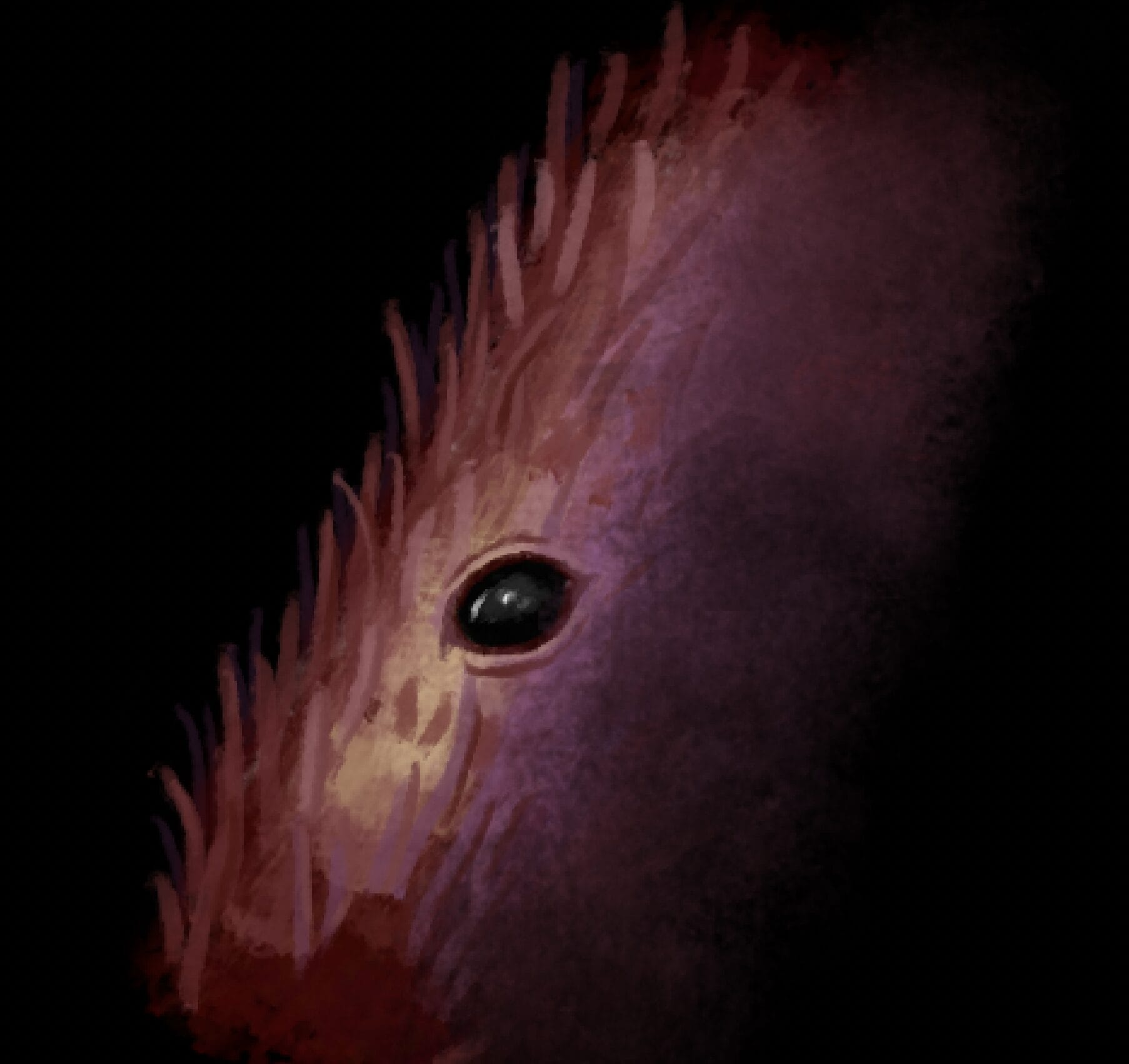
I gave that part of the painting the unfinished, “dreamlike” look by experimenting with some of the blender brushes in the brush set. Blender brushes are very useful for mimicking oil painting. I hit the example with the Softer Wet Blender brush as seen below:
There’s quite a bit more happening here in this piece, but if you’re a digital artist you should understand the gist of what’s going on. Use these techniques to paint a lovely landscape or your own happy lil’ abomination.
Get both Parker’s fantastic writing and my artwork by buying a copy of DARKNESS OVER THE POTOMAC on Amazon now. I read it cover to cover and it’s a real page-turner. You absolutely won’t be disappointed.
Feel free to comment on if you have questions and I’ll do my best to answer! If you’d like to commission your own painting, email me at matt [at] mattlawrence [dot] net, or you can contact me through one of my social media pages:
X/Twitter – @mattlawrenceart
Facebook – Matt Lawrence Art
Instagram (I rarely use this or check it) – @mattlawrenceart
Disclaimer: This post contains affiliate links. I get a small portion of the sales profit at no cost to you. If you’d like to support my work, I get a few cents through your purchase using one of these links. Thanks!